Case study 03 / 06
Field: lattice
Shader playground
Uniforms
A shader playground for students who have never written one
- Client
- Kade School of Interaction, Rotterdam
- Year
- 2025
- Role
- Product design, creative code, curriculum design
- Team
- Noor Haddad — design & front-end
- Bas Verhoef — course lead
- Mei Takahashi — WebGL engineering
- 140 first-year students — testing
The brief
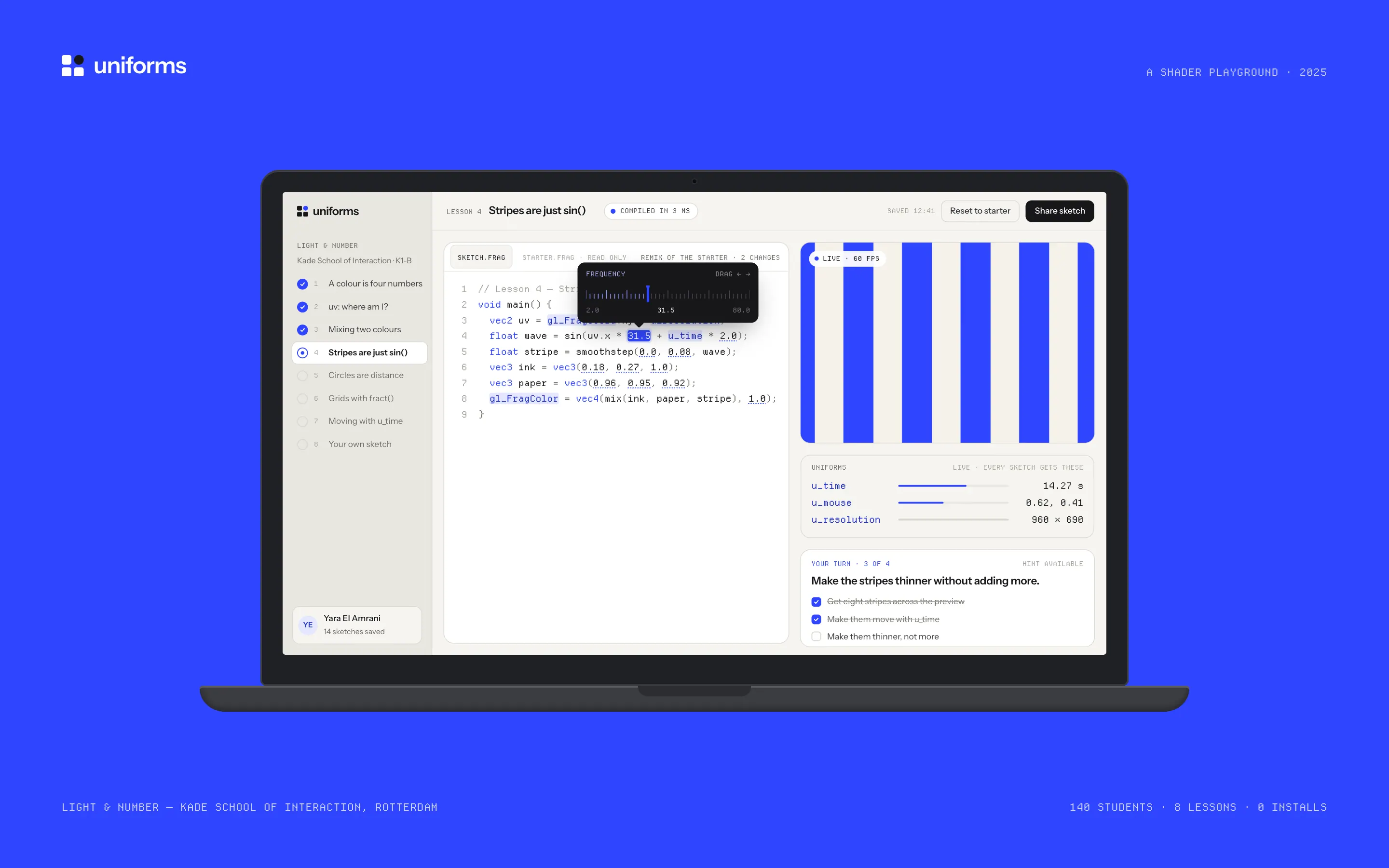
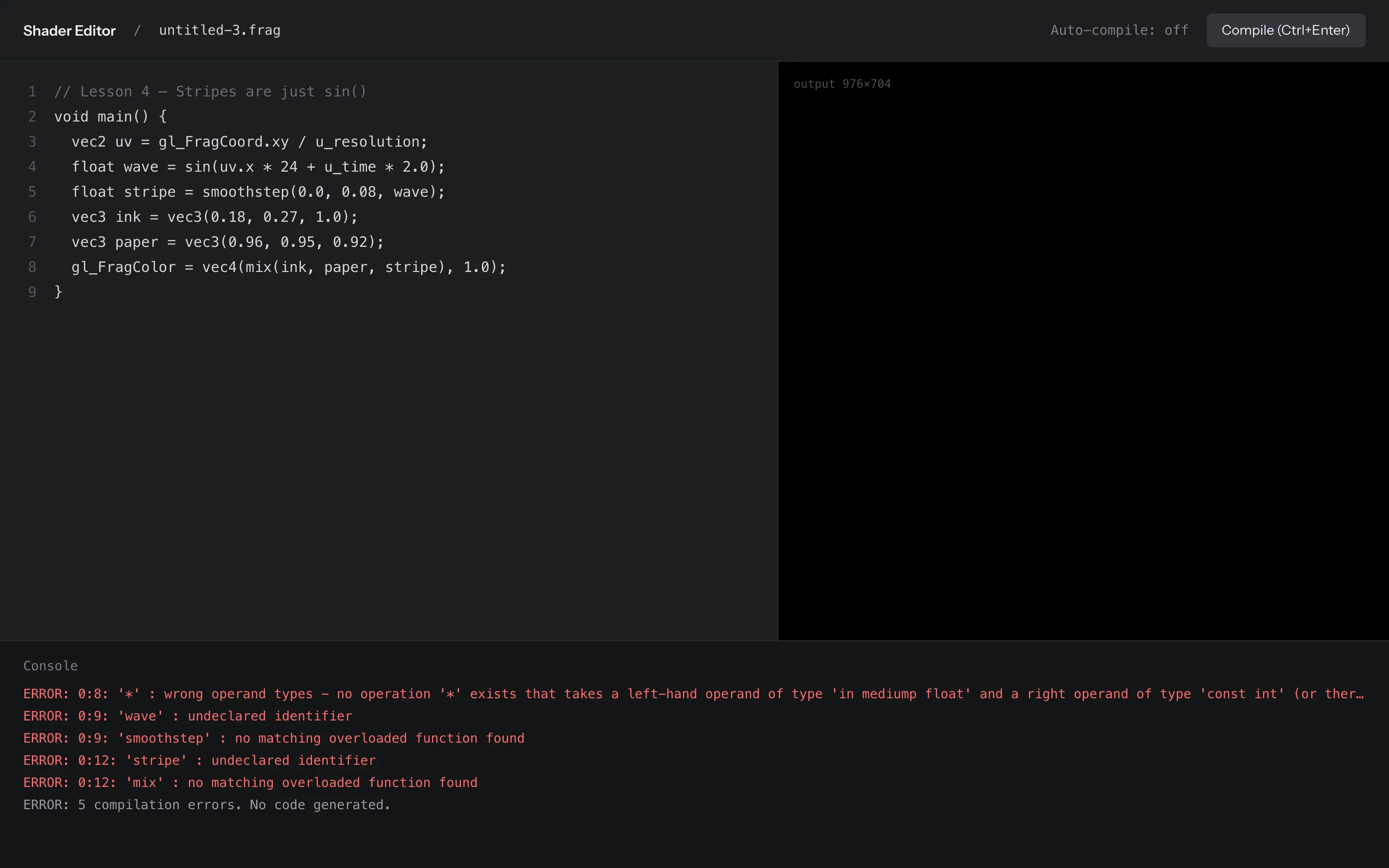
Light & Number teaches 140 first-year students at Kade to draw with maths. For three years its shader week was the one students dreaded. They typed into a generic online editor, missed one decimal point, and the preview went black. The compiler log then pointed at line 8 for a mistake on line 4, because the editor’s hidden header shifted every line number.
Bas Verhoef, who leads the course, asked for a tool that gets every student to a working shader inside one lesson. The constraints were blunt: it had to run on the school’s Chromebooks, fit a 90-minute lesson with 24 students to one teacher, and need nothing installed beyond the school account.
Decisions
- 01
Never a black screen
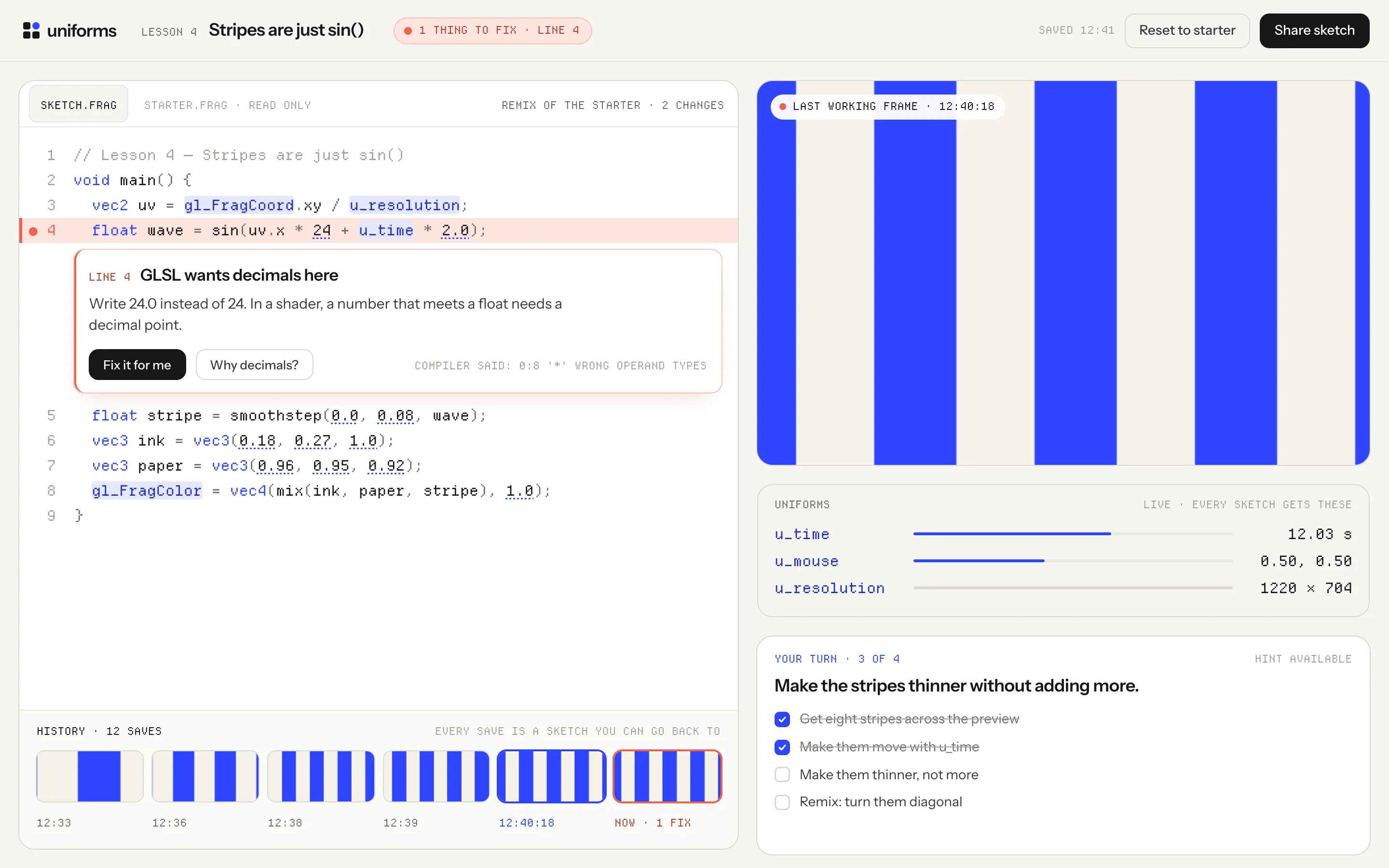
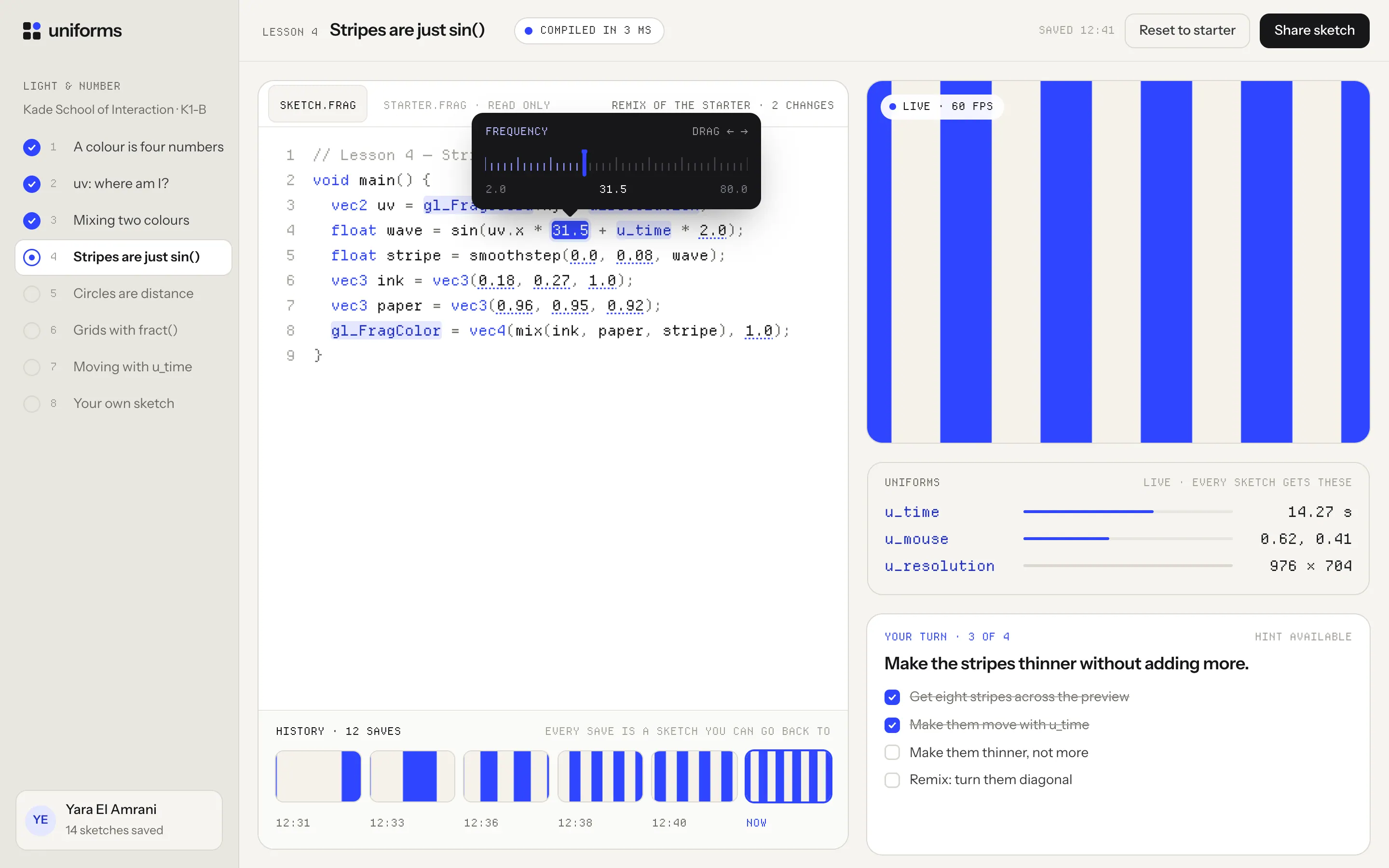
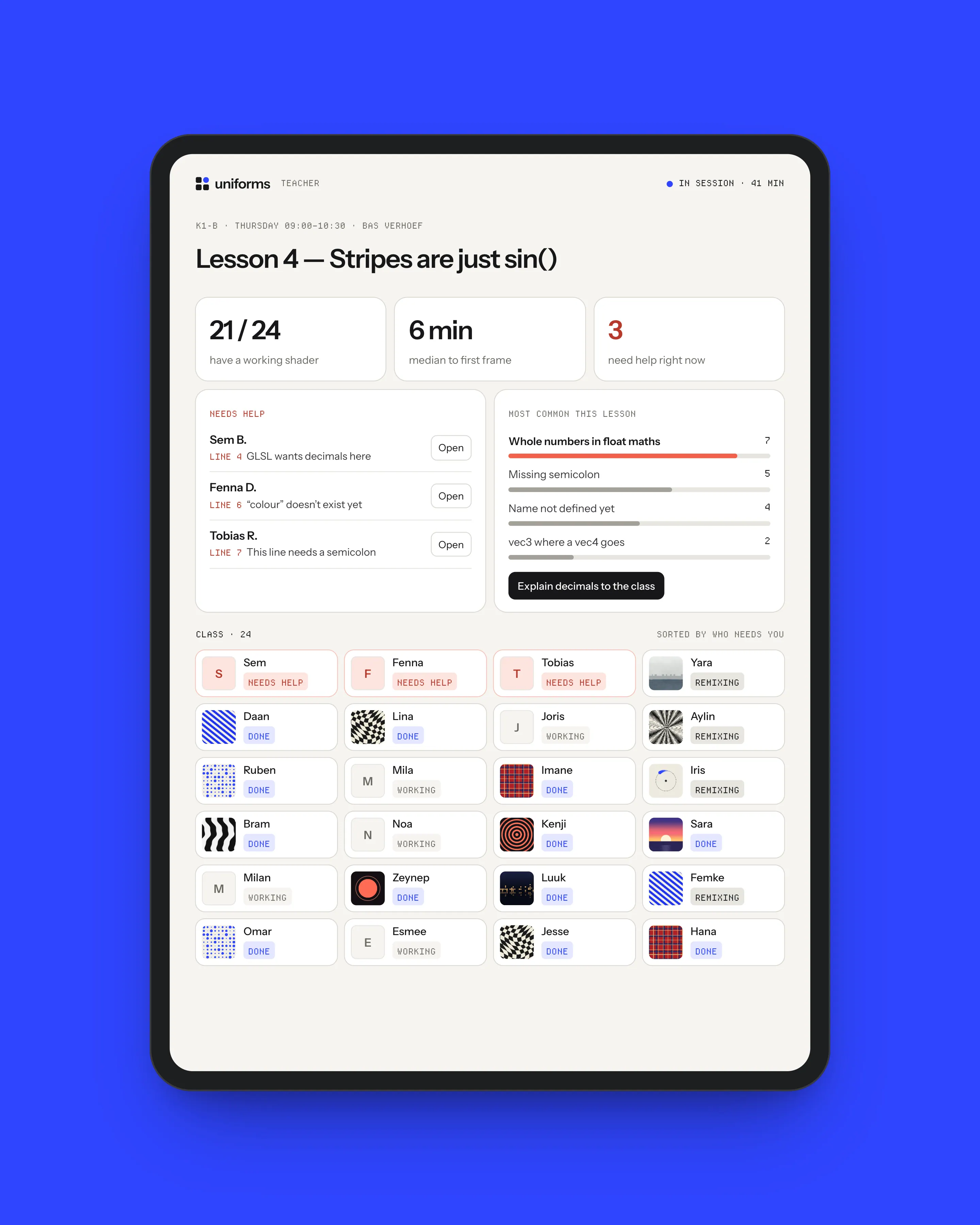
The preview keeps rendering the last shader that compiled while you type. A mistake doesn’t take the picture away; it puts a coral mark on the line and one sentence under it. I rewrote the 30 most common compiler messages from two years of student logs, so “wrong operand types” becomes “GLSL wants decimals here: write 24.0 instead of 24”.
- 02
Every number is a slider
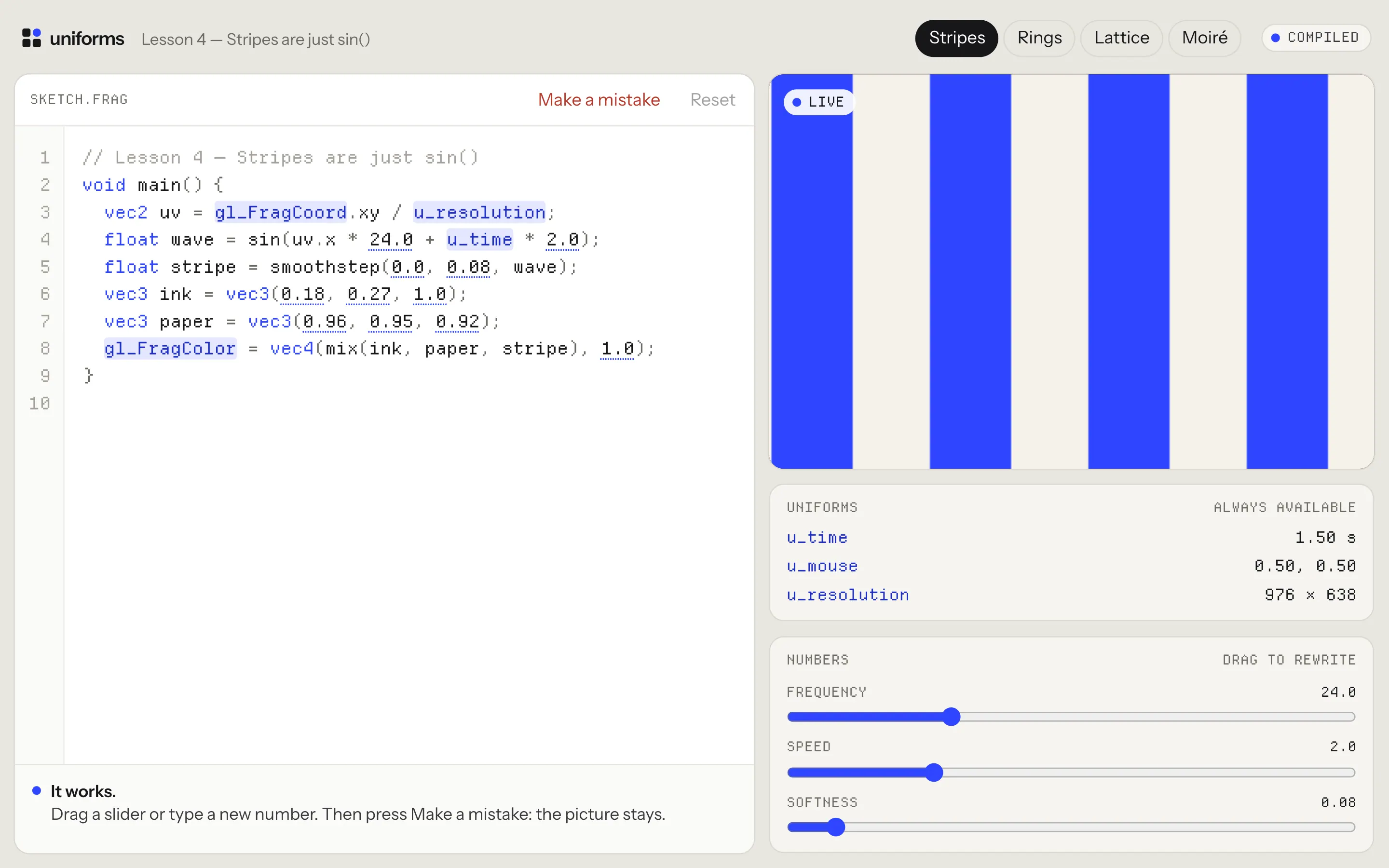
Any number in the code can be dragged. Students find out what 24.0 does by moving it, then read why. Dragging writes the new value back into the code, so the sketch is always the text, never hidden state that disappears on reload.
- 03
Lessons are remixes
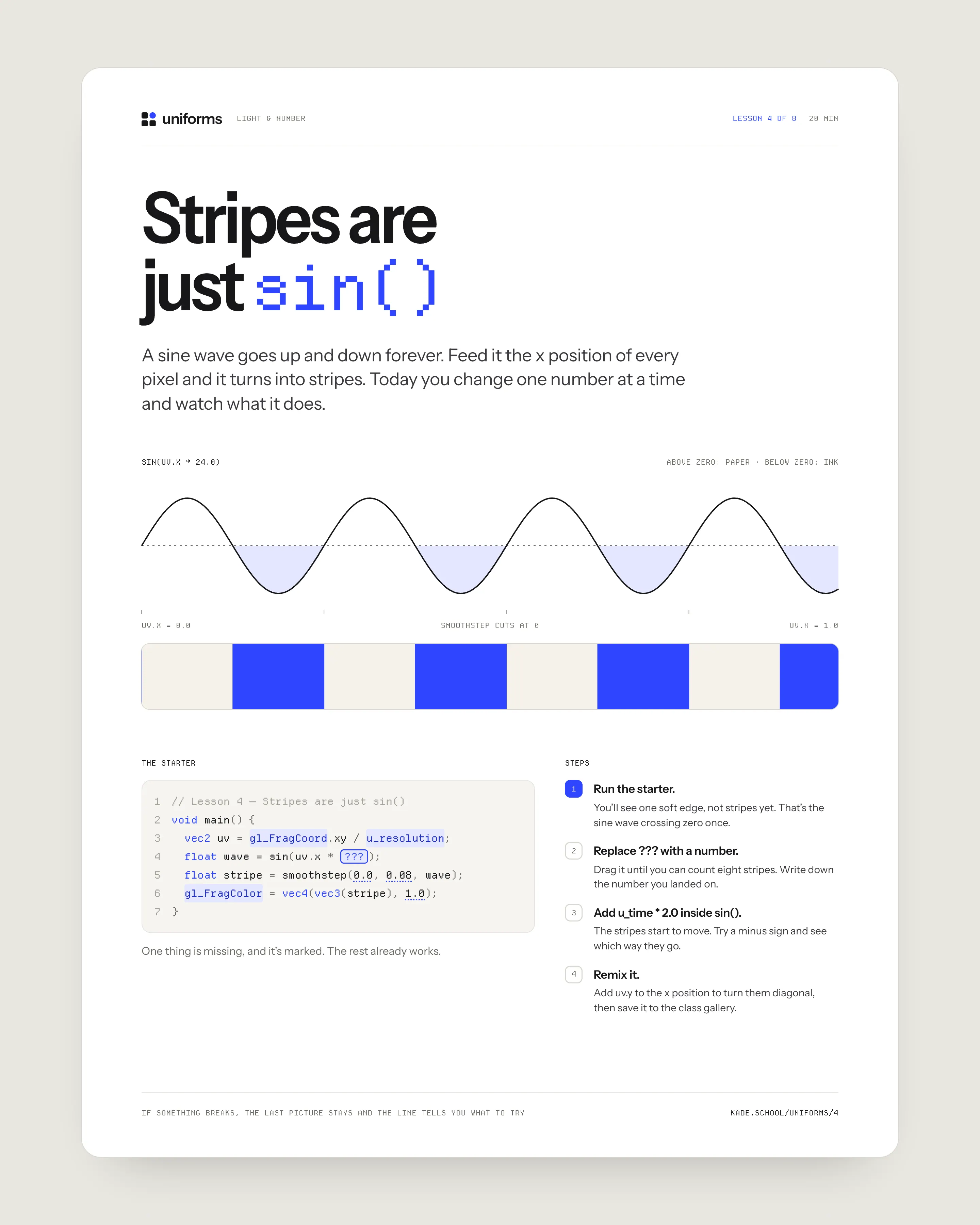
Each of the eight lessons opens on a sketch that already works, with one thing missing and marked. Nobody starts from an empty file, and the first change anyone makes is a single number.
- 04
Uniforms you can watch
The panel the tool is named after shows u_time, u_mouse and u_resolution as live values next to the preview. The three inputs every shader gets stop being magic words and become numbers you can see changing.
Outcome
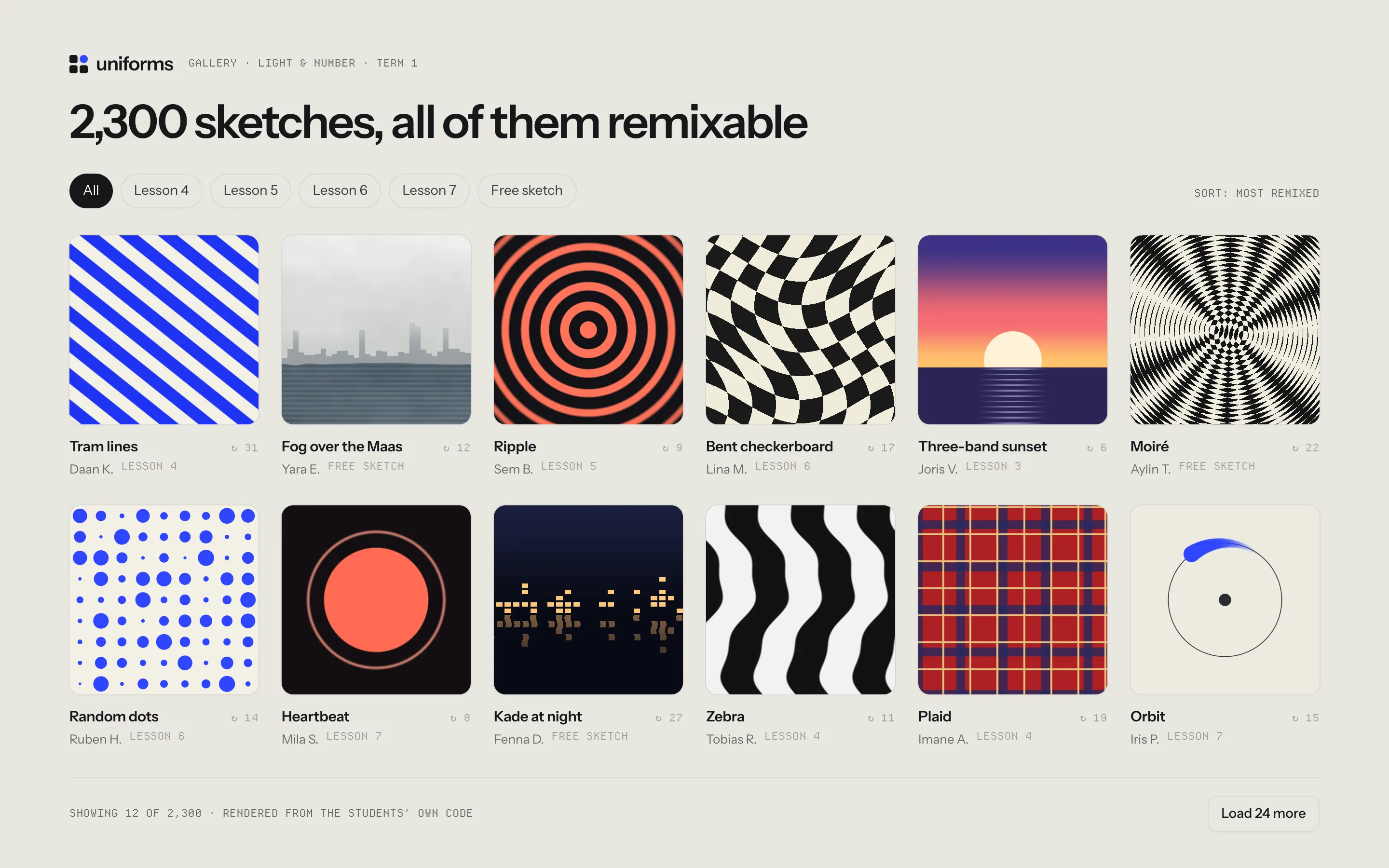
Over two cohorts, completion of the shader exercises went from 41% to 87%, and the median time to a first working shader dropped from 26 minutes to 6. Students saved 2,300 sketches in the first term, most of them remixes of someone else’s.
Mei rebuilt the compile step so a full recompile takes under 4 ms on the slowest Chromebook, which is what makes dragging a number feel like touching the picture. Three partner schools now teach with Uniforms, and the error rewrites are an open list that teachers keep adding to.
Live demo
Break it on purpose
Try it
Writing the error messages
Mei and I collected 11,000 compile errors from two years of the old editor’s logs and grouped them by what the student had actually done wrong. Thirty patterns covered 92% of them. Each rewrite follows the same shape: what’s wrong, on which line, and the one thing to try.
Only the first error is ever shown. In student code, the second and third are almost always echoes of the first, and a list of five red lines reads as “you are bad at this” rather than “add .0 here”.
“The first year we used it, nobody asked me why their screen was black. They asked why their stripes were wobbling. That’s a much better question to spend a lesson on.”
- finished the shader exercises, up from 41%
- 87%
- median to a first working shader, down from 26
- 6 min
- sketches saved in the first term
- 2,300
- partner schools now teaching with it
- 3